




Built with care, trusted by the community
Audax Data Manager is built with the same attention to detail Command Prompt, Inc. brings to its PostgreSQL consulting, training, and database migration work.
We wanted a tool that's just as good for a quick peek at the data and a simple edit as it is for query profiling and performance tuning. There are tools that do one or the other, not both. Our goal was to fill that niche: be quick and simple for daily tasks, but provide a toolkit for advanced use cases.
Featured on the MariaDB Ecohub, MariaDB Docs Portal and PostgreSQL Wiki
1k+ stars on GitHub · 8k+ downloads · actively developed, with a new release every 6-8 weeks
What's Inside
Multi-database
Supports PostgreSQL, MySQL, MariaDB, SQL Server, Oracle and SQLite3
Modern
Intuitive interface that helps and does not get in your way.
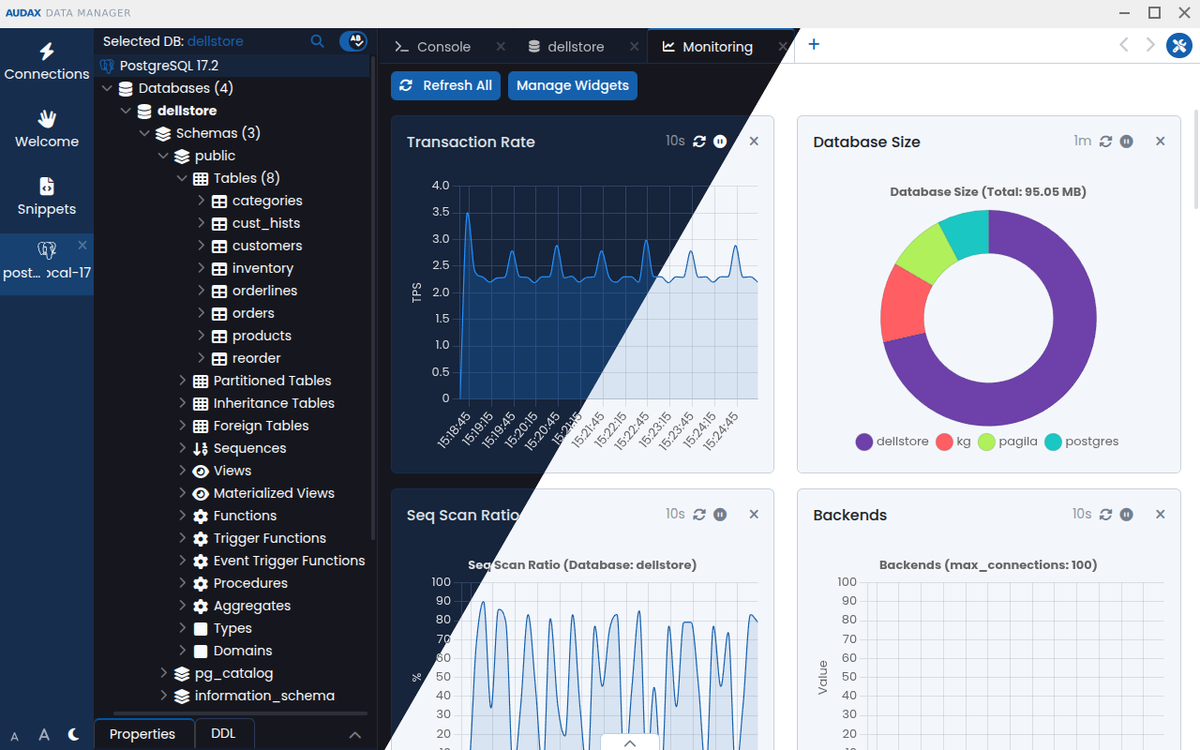
Switchable themes and UI scaling
Secure
Privacy-first, no data collection, no telemetry.
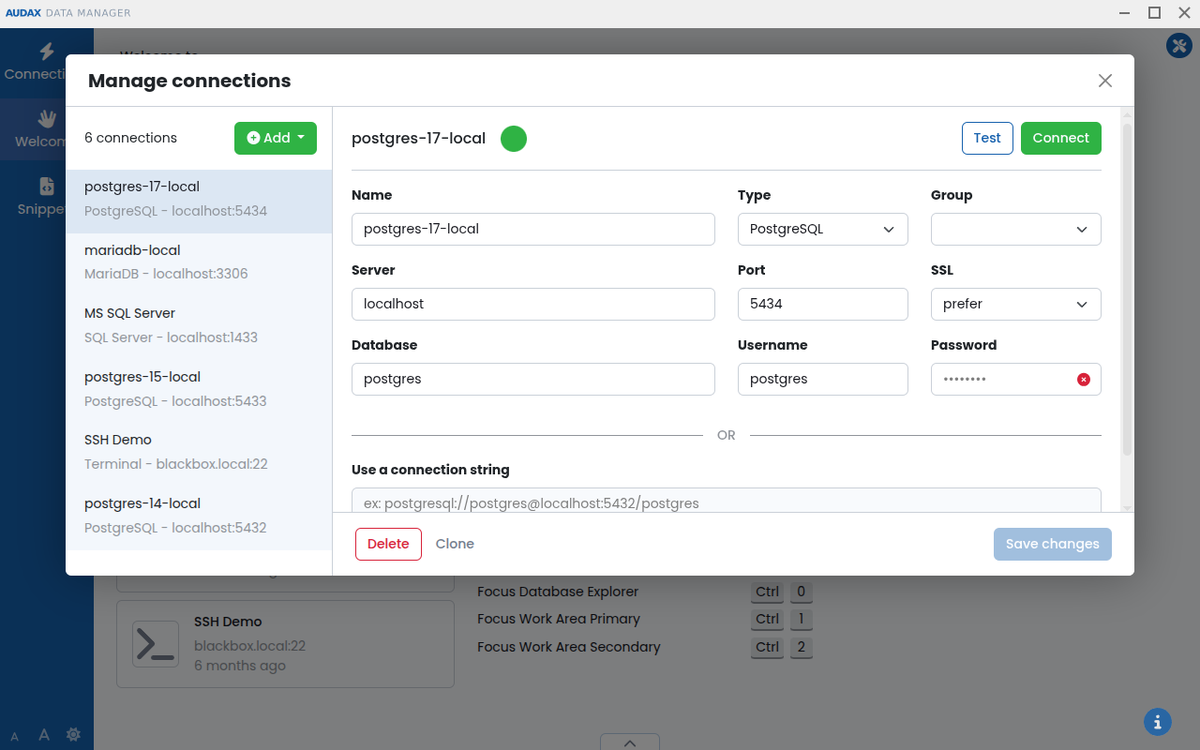
Keeps your credentials in encrypted form.
Powerful
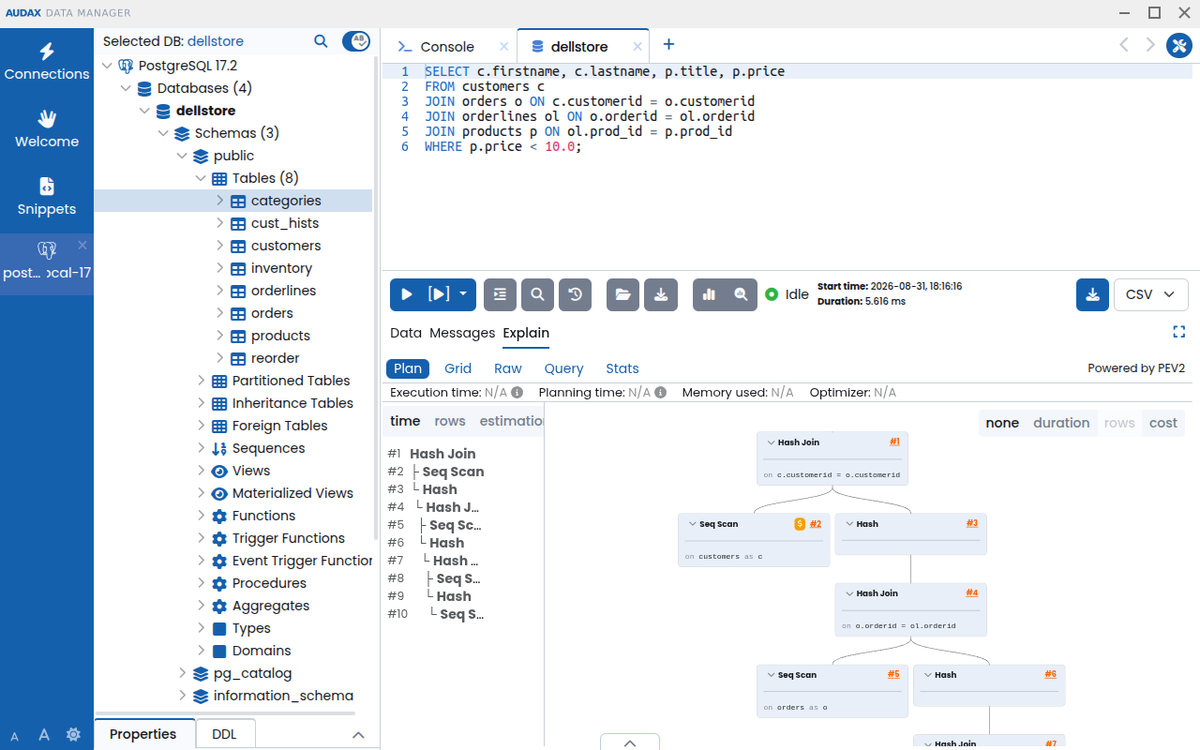
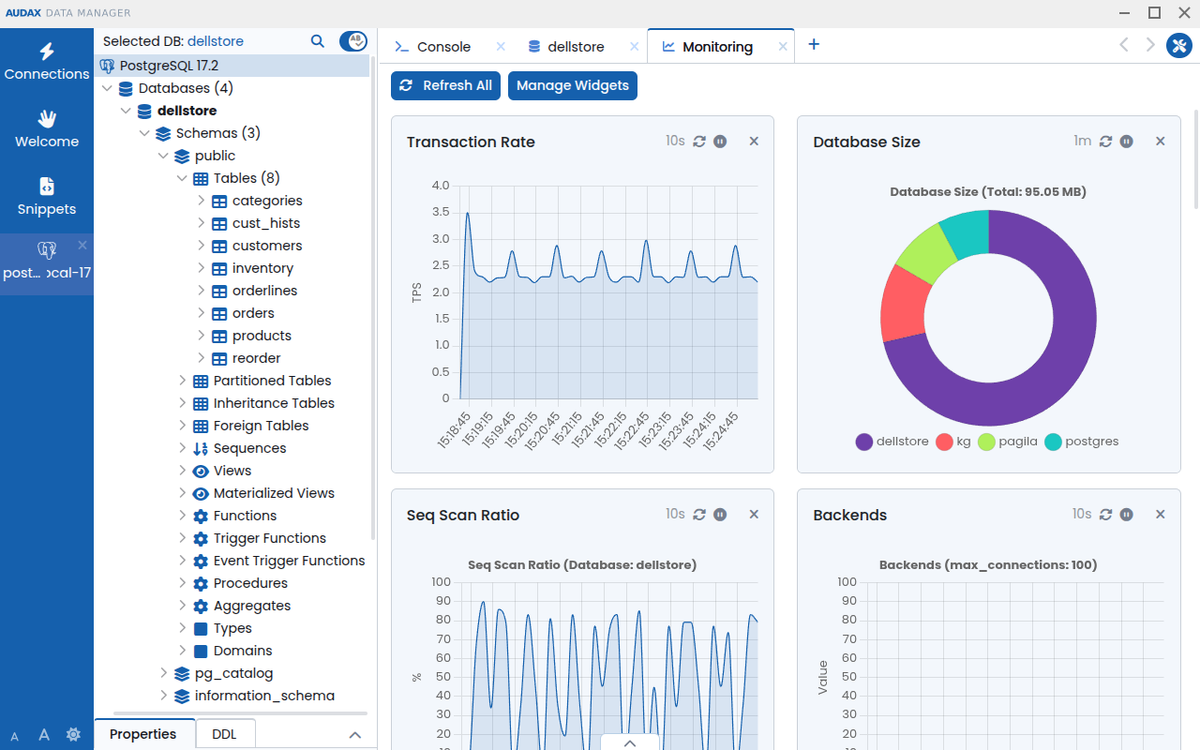
View database performance metrics
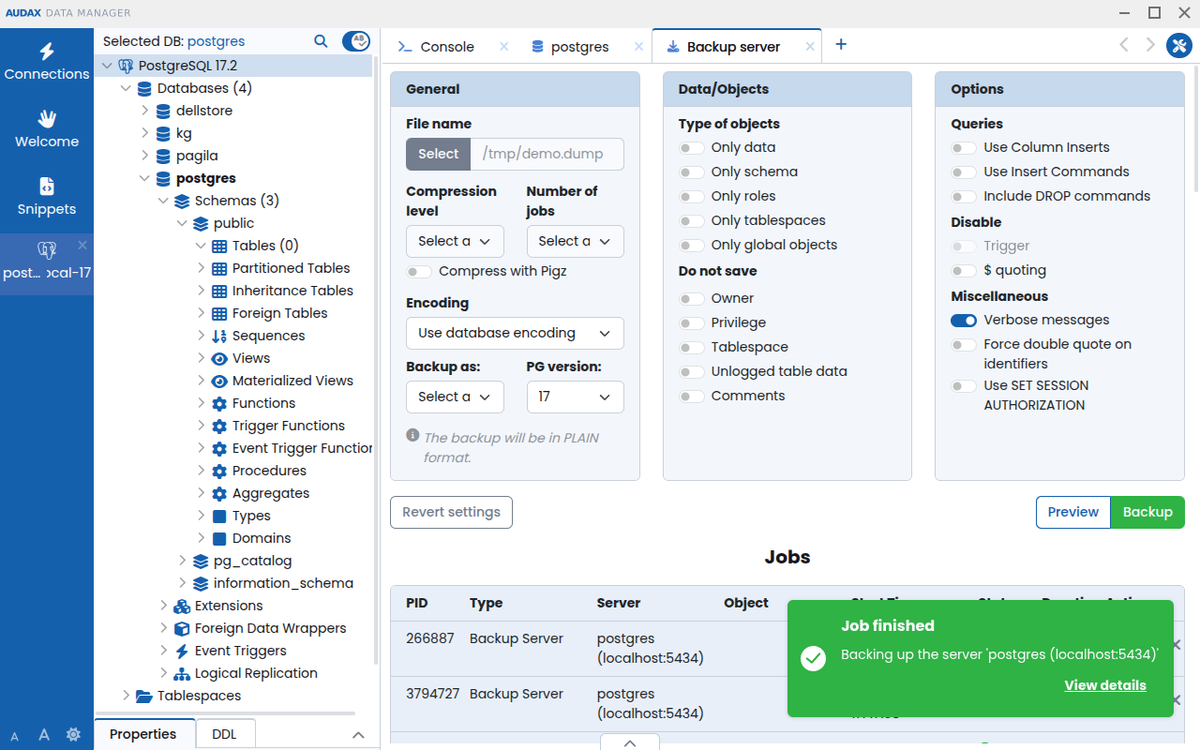
Run backups
Manage Roles and Extensions
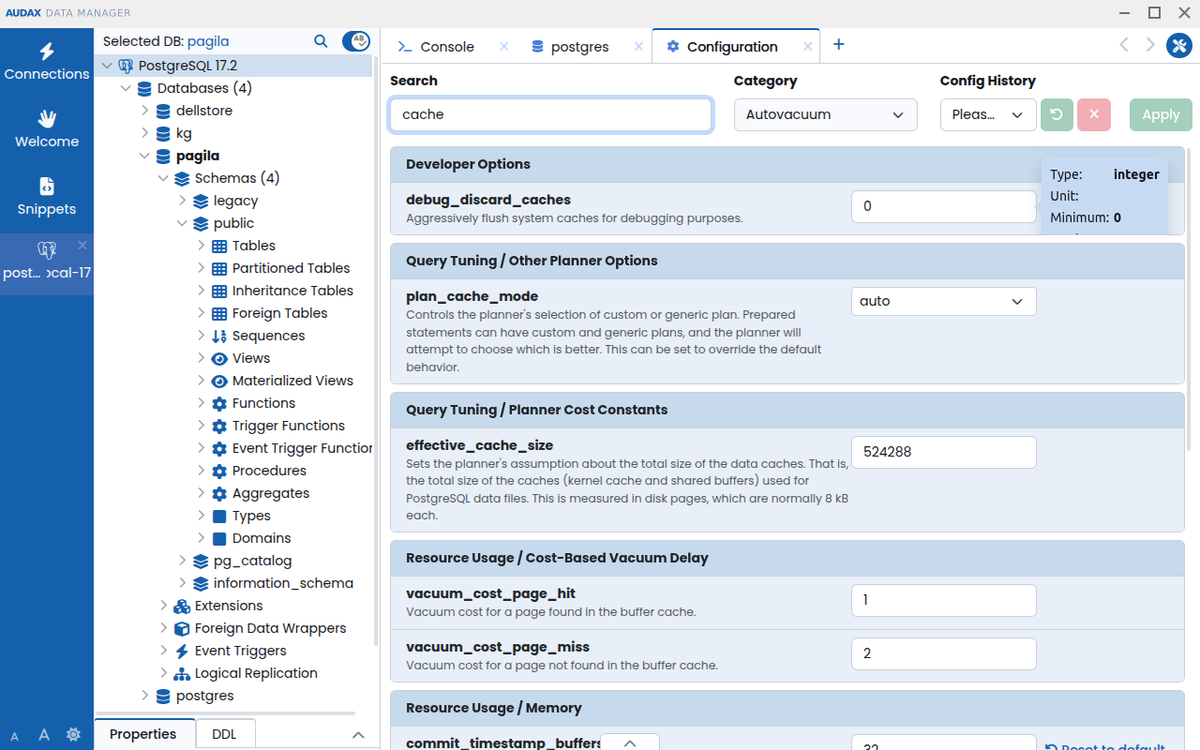
Tune your PostgreSQL server parameters
Connect to your environment via SSH tunnels
Convenient
Use multiple database workspaces at once.
Edit data in a familiar spreadsheet-like way.
Easily locate database objects with fuzzy search.
Supports hot-keys and keyboard navigation for core features.
Smart
Shows schema- and context-aware suggestions for tables, views, columns, aliases, and functions as you type.
Adds query error annotations in the exact place that is causing problems
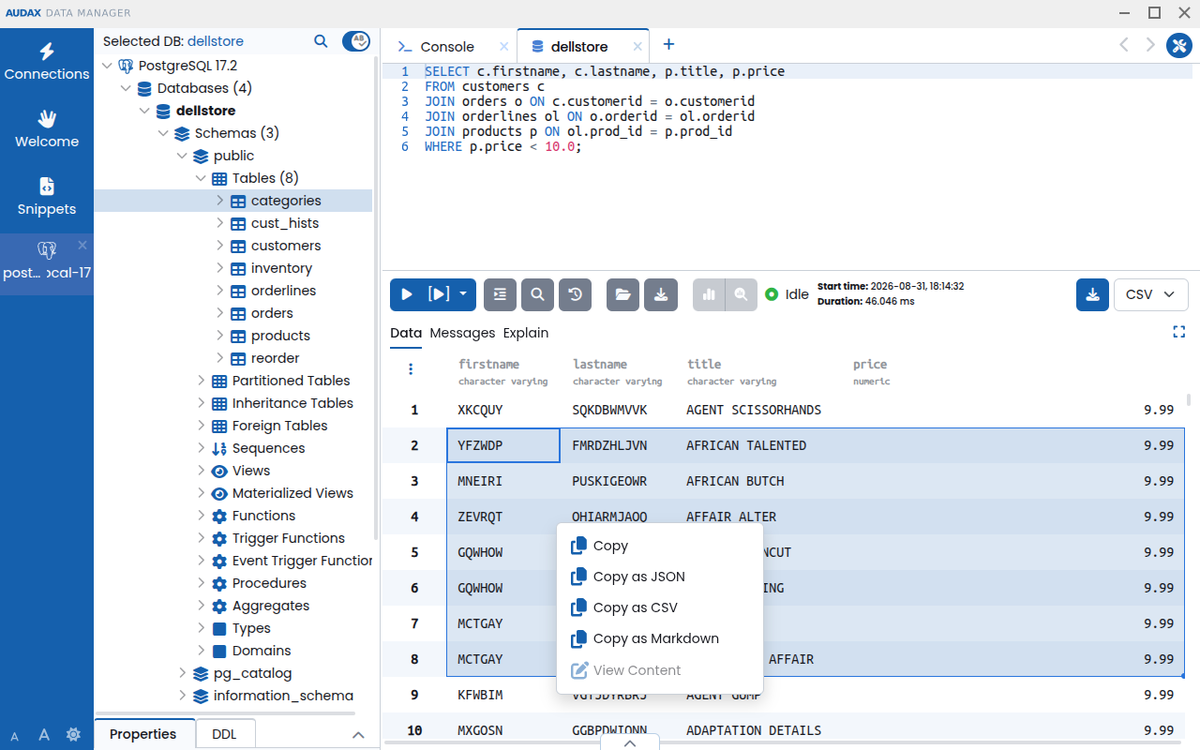
Copy table data as Markdown, JSON or CSV
How it looks
Spin It Up

Linux AppImage
macOS
Windows
Enterprise Edition

Community
Multi-database support
Visual query profiling and performance monitor
PostgreSQL power features
Multiple workspaces
Smart autocomplete
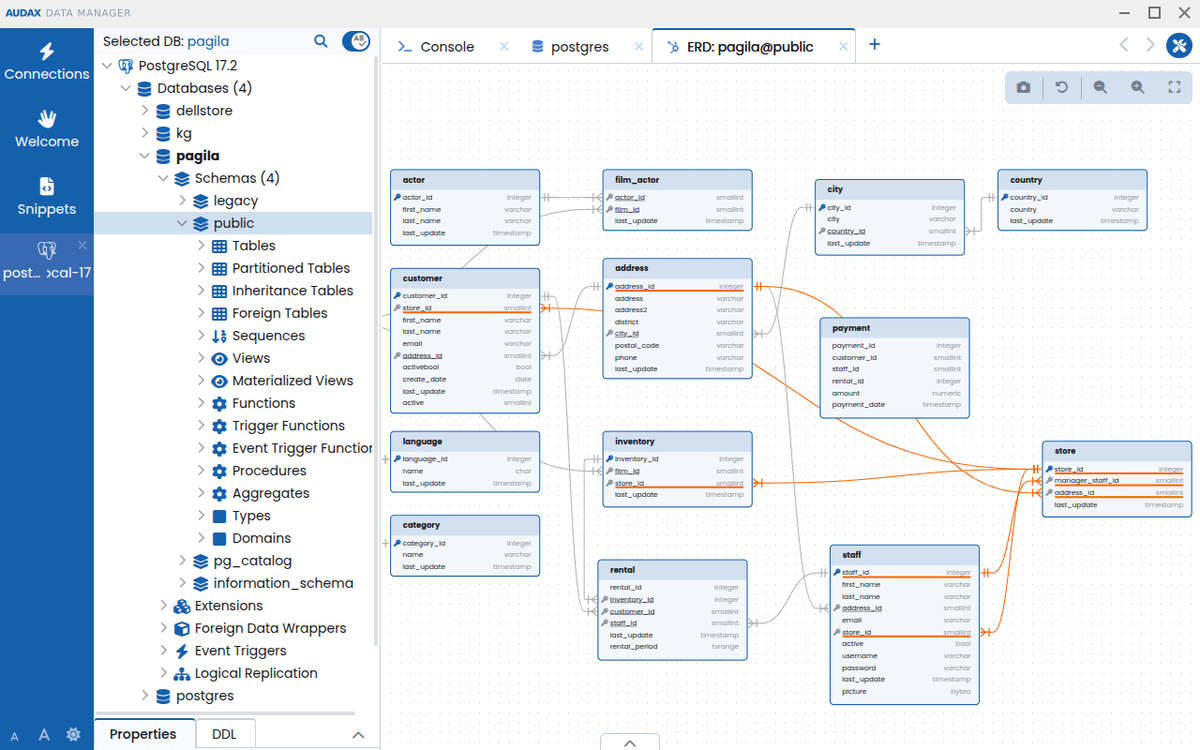
Graphical schema and data editor
Fuzzy search
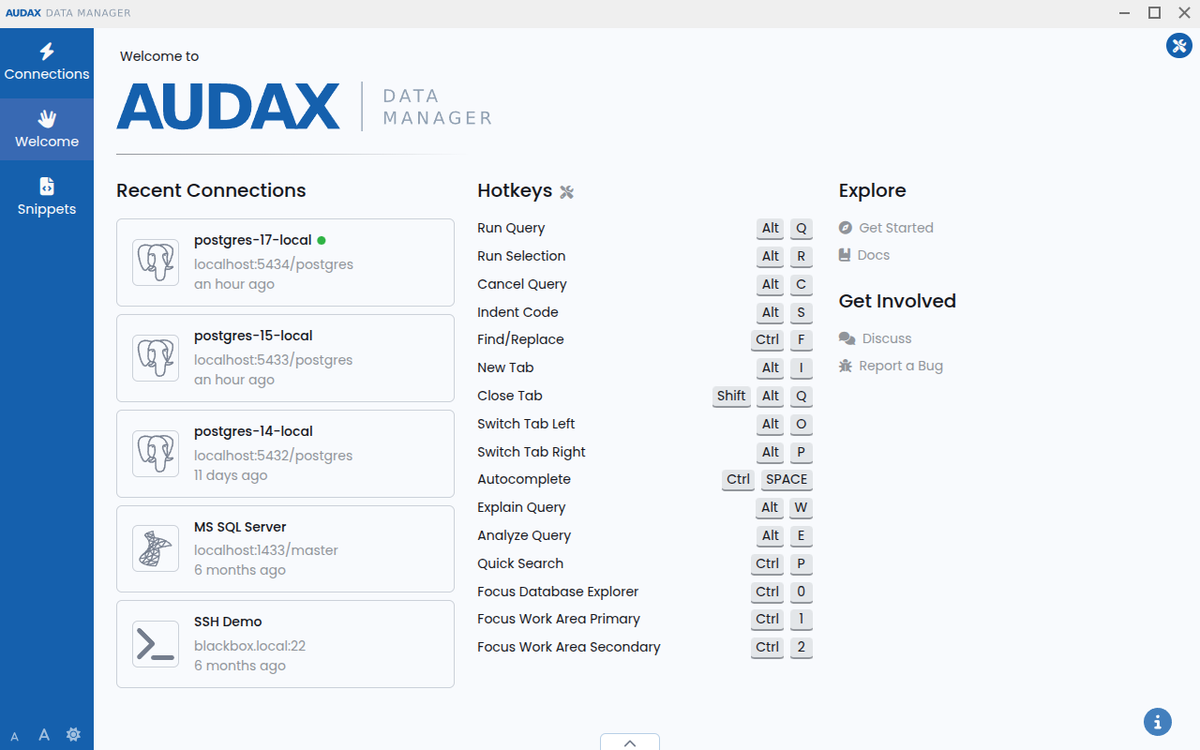
Hotkey-based navigation
Advanced clipboard copy
SSH tunnels and terminal
Zero telemetry, encrypted credentials
Works fully offline (desktop app)

Enterprise AWS
All community goodies plus
Works in the browser
Deployed in AWS
Supports multiple users
Supports OAuth2 authentication
Metered hourly, based on instance size
14 days free trial

Enterprise Docker
All community goodies plus
Works in the browser
Deployed locally/on-prem
Supports multiple users
Supports OAuth2 authentication
Time-based license
$750/year
Frequently Asked Questions
Why was PgManage renamed to Audax Data Manager?
We renamed PgManage to Audax Data Manager because the old name was tied specifically to Postgres, but the tool has grown well beyond that, with first-class support for MySQL, MariaDB, SQL Server, Oracle, and SQLite.
The name was also too generic and conflicted with an unrelated project of the same name.
It's the same project, built by the same team, just under a name that actually reflects what it does today.
Who's behind Audax Data Manager, and can I trust it with my database credentials?
Audax Data Manager is built by a small team at Command Prompt, Inc., the oldest dedicated PostgreSQL support provider in North America since 1997.
The source code is open and publicly auditable on GitHub, so you're not trusting a black box with your database credentials.
Security is a top priority: your access credentials are stored in an encrypted form while at rest.
What's the difference between the Community and Enterprise editions?
The Community edition is totally free and open-source. It runs as a desktop app, and works fully offline.
Enterprise adds remote access via web browser, multi-user support, OAuth2 authentication, and cloud/Docker deployment - built for teams who need to share one instance and access it remotely.
Is Audax Data Manager actively maintained?
Yes, the new release cadence is 6 to 8 weeks. Development happens in the open; see the dev branch on GitHub for ongoing activity.
Does Audax Data Manager collect any usage data?
We respect your privacy. The app does not send any of your data anywhere and has no telemetry.
Error back-traces are stored in log files (with any sensitive info masked), and you can optionally include an excerpt from them in your bug reports.
Can I run Audax Data Manager on a server instead of my desktop?
While Community Edition is desktop-only, the Enterprise Edition can be accessed remotely.
For single-user remote-access scenarios, the Enterprise Docker image can be used even without a license - this is basically the equivalent of the desktop app, served in your browser.
How is Audax Data Manager different from tools like pgAdmin or DBeaver?
pgAdmin 4 is strictly dedicated to PostgreSQL, and has drawn criticism from parts of the PostgreSQL community for feeling slower and less responsive than its predecessor, pgAdmin 3.
DBeaver supports many databases, but its Eclipse-based platform has led to acknowledged performance issues.
We built Audax Data Manager with solid support across PostgreSQL, MySQL, MariaDB, SQL Server, Oracle, and SQLite, plus extra features dedicated to PostgreSQL administration and tuning. We're also doing our best to provide a good, snappy UX.
Has Audax Data Manager had any security vulnerabilities?
Yes - like any actively developed software, security issues occasionally surface, and we fix them.
Past examples include a formally-tracked vulnerability (CVE-2023-37271) patched in version 1.3, and an issue responsibly reported by IBM's X-Force Red security team. All security fixes are documented in our changelog.
What's new in 1.6?
New ERD:
Intelligent relationship-edge routing
Snap-to-grid positioning
Improved node/edge selection
Add cardinality markers
Diagram image export support
Viewport save/restore and a dedicated full-screen controls panel #885
New Database Console:
Make it behave like a real console
Added command history navigation with the Up/ Down keys + readline-like navigation ket combos
Active database switching via the \c meta-command #894
Improved Keyboard Navigation:
Jump between DB Explorer and other sections of the app using hotkeys (Ctrl+0, 1, 2)
Implemented visual feedback when focusing different areas of the app using keyboard
UX Improvements:
Database object icons and context menu icons/paddings now scale with the app font size setting #908
Limited the minimum size of the application container and added scrollbars when the window is smaller than it, preventing UI breakage #726
The onboarding widget is now only shown on the Welcome screen #784
Improved text truncation of recent connections subtitles to keep the most important part visible #804
Improved Settings > Hotkeys tab layout: more rows fit on screen and columns are wide enough for larger key combinations like Ctrl+Shift+Space
Implemented live resize of the built-in SSH terminal when font size or window size changes #897
Improved desktop app startup time by switching the Linux build to PyInstaller's one-directory mode, avoiding double compression with AppImage #879