
MS SQL Server Support
PgManage now supports Microsoft SQL Server and has numerous UI improvements and features intended make your daily database work more efficient.
Improved Navigation
CommandPrompt team not only develops PgManage but uses it daily. This allows us to take a different perspective on PgManage.
We are doing our best to improve user experience for most frequent daily tasks DBA or developer might have.
Navigating to a specific DB object might be time consuming, especially for complex and large trees we have in PgManage.
In this release we tried to optimize this experience in two ways.
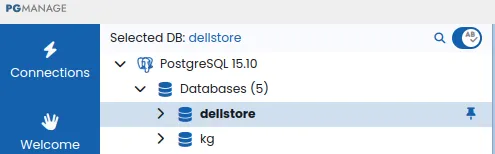
Pinned Databases: for server connections which have a lot of databases it may be better to have most frequetly used databases at the top of the list. Now it is possible to pin such databases so they would always be shown first. Just hover over the database tree node to reveal the pin button.
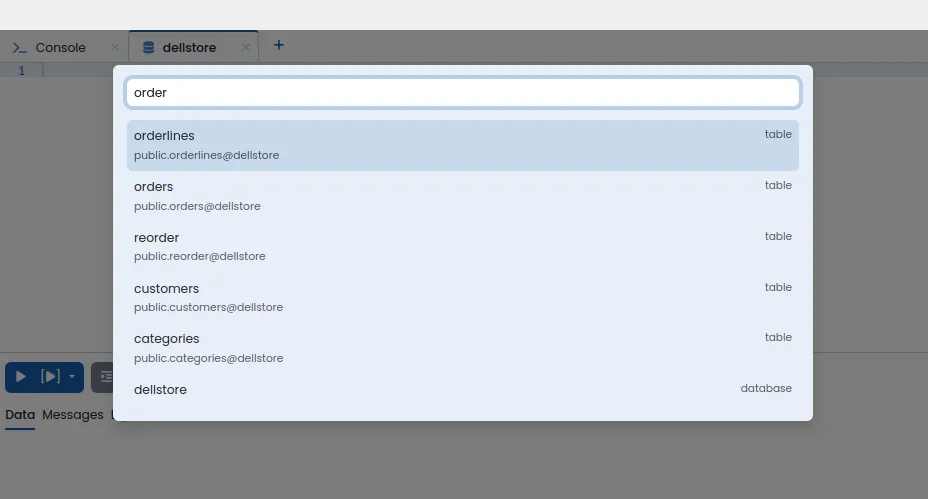
Quick Search: call the quick using Ctrl-P or by clicking the loupe icon on the top of DB Tree. Type the name of the object you need and select it from the list. The searchbox is forgiving to typos or incomplete input so there is no need to be super precise. We would like to thank @ccurvey for sharing their experience in the related feature request (https://github.com/commandprompt/pgmanage/issues/237)
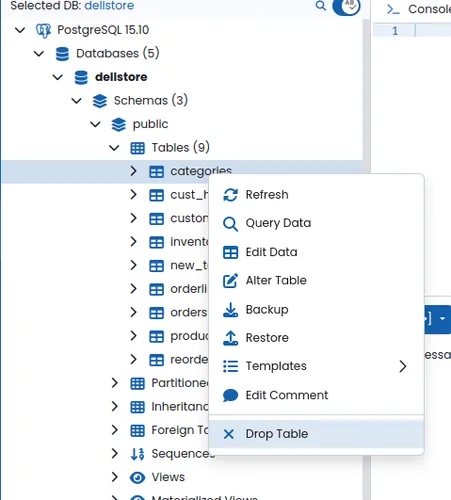
Optimized DB Tree context menu: the menu has been reorganized, most frequently used commands are now shown at the top, similar options are grouped, delete/drop always goes last, after a separator to prevent misclicks.
Database Diagnostics & Debugging
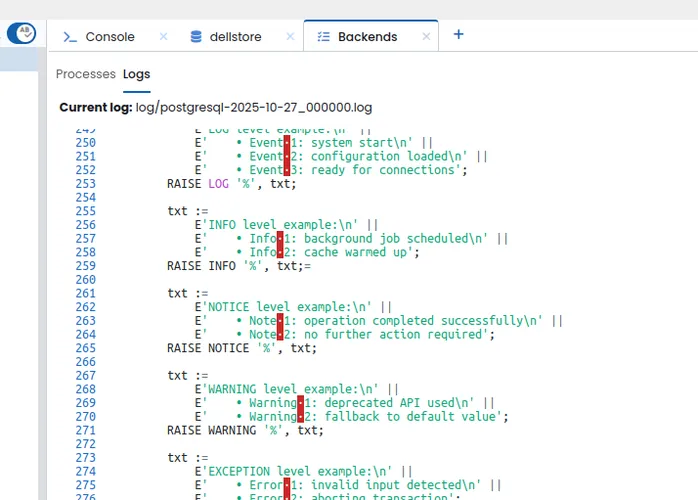
Postgres Sever Logs: it is possible to view Postgres Server log messages in near-realtime. Just open the Backends tab and click "Logs"
Many more features and tweaks
See the full list of changes on Pgmanage GitHub Releases Page
Get PgManage 1.4
It Free! Proceed to our product page and choose a download for your platform